OP — PC
Profile Contouring Operation
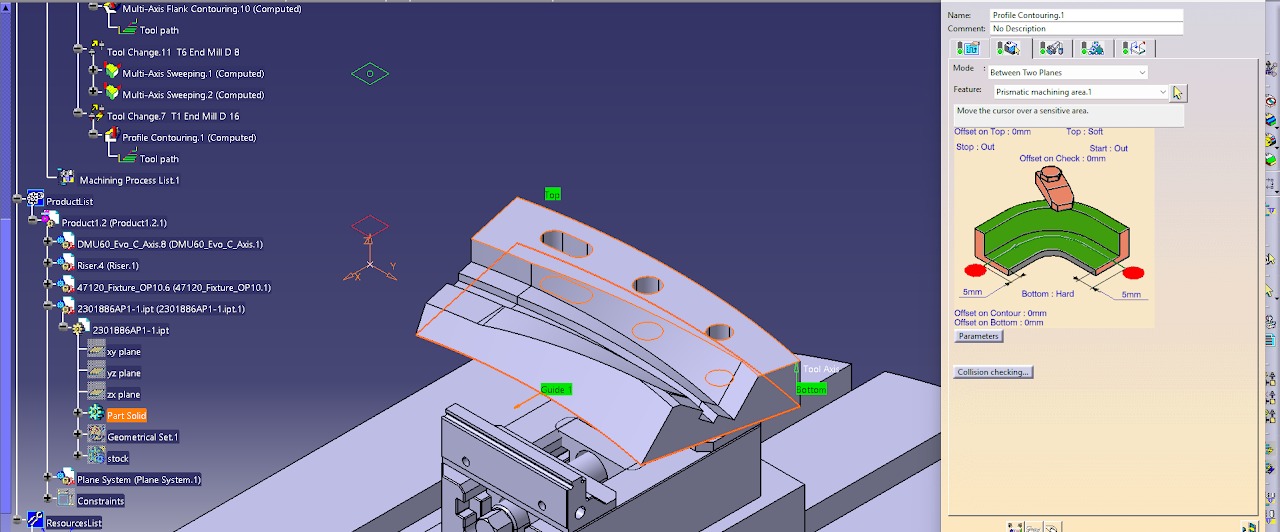
- Select the Guide, Top Limit, and Bottom Limit surfaces.
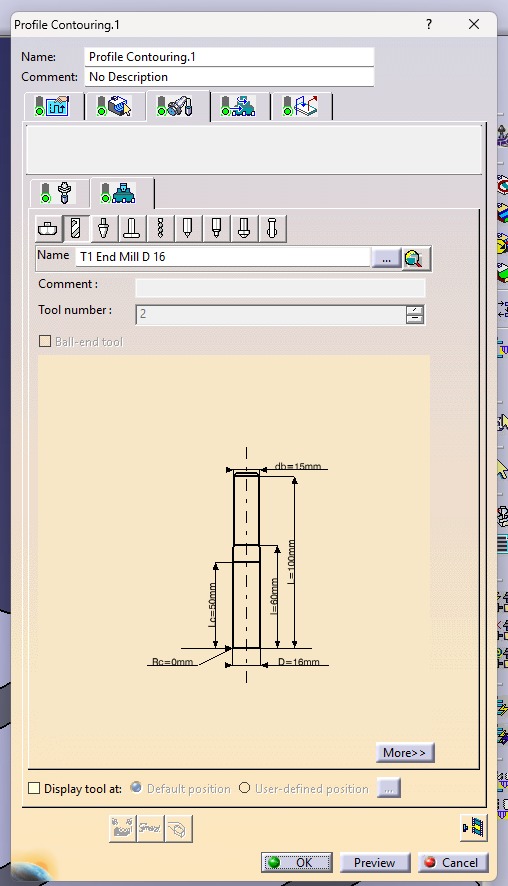
- Select a Ø16 mm Flat End Mill as the cutting tool.
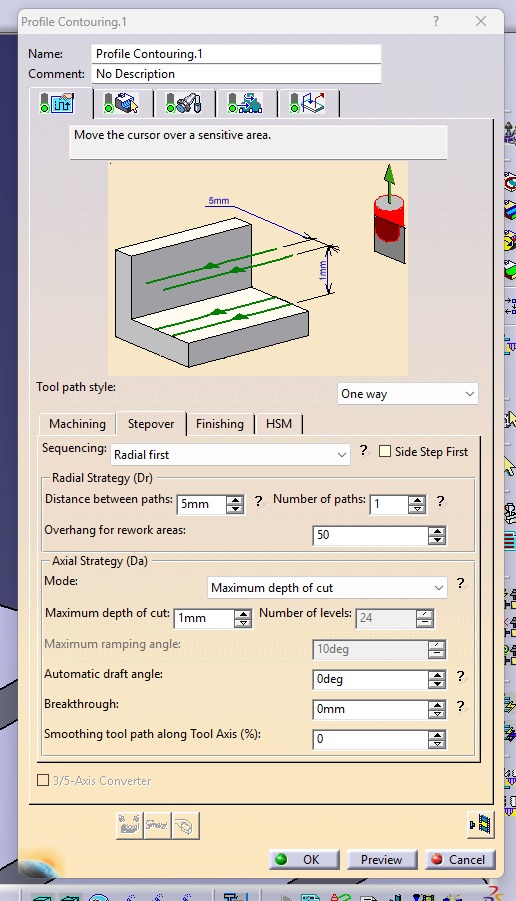
- Set the Tool Path Style to One Way.
- Set the Machining Mode to Maximum Depth of Cut.
- Set the Maximum Depth of Cut to 1 mm.
- Activate the Approach and Retract options.
- Set the Approach Motion to Axial Motion Up to a Plane.
- Compute the toolpath to generate the machining operation.
- Run the machining simulation to verify the cutting movement, check for collisions, and confirm the material is removed correctly.
.jpeg)
.jpeg)