OP — SW
Multi Axis Sweeping Operation
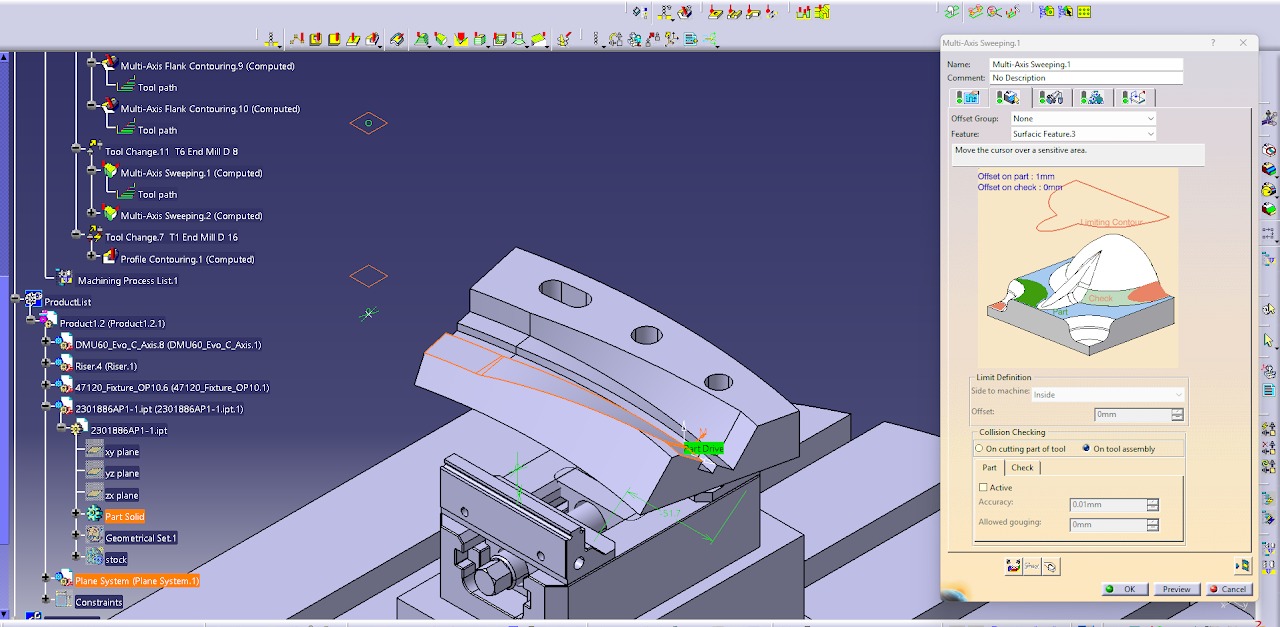
- Select the Part Surface and Drive Surface.
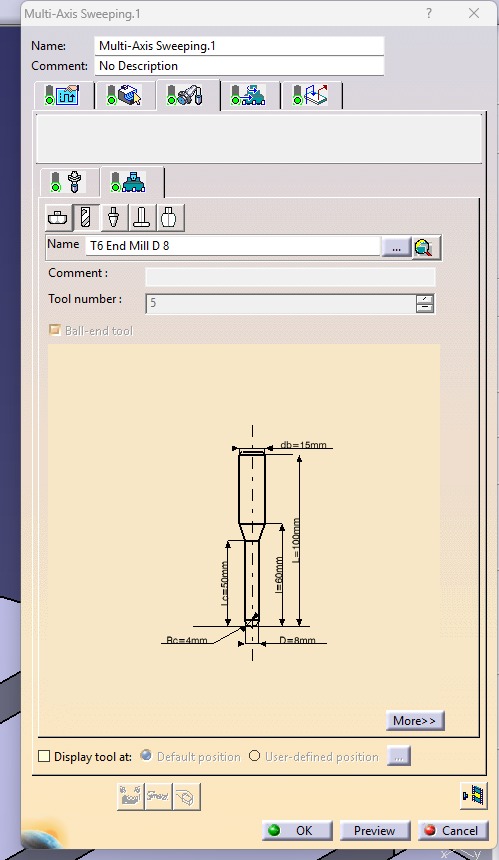
- Select a Ø8 mm Ball End Mill as the cutting tool.
- Set the Tool Path Style to Zig Zag.
- Set the Stepover Method to Scallop Height.
- Set the Tool Axis Mode to Normal to Drive Surface.
- Activate the Approach and Retract options.
- Set the motion parameters:
- Axial Motion Up to a Plane
- Motion to a Point
- Tool Axis Motion
- Set Tool Axis Motion Definition = K : 1
- Compute the toolpath and run the first machining simulation to verify the surface finishing, tool movement, and collision safety.
- Second Simulation:
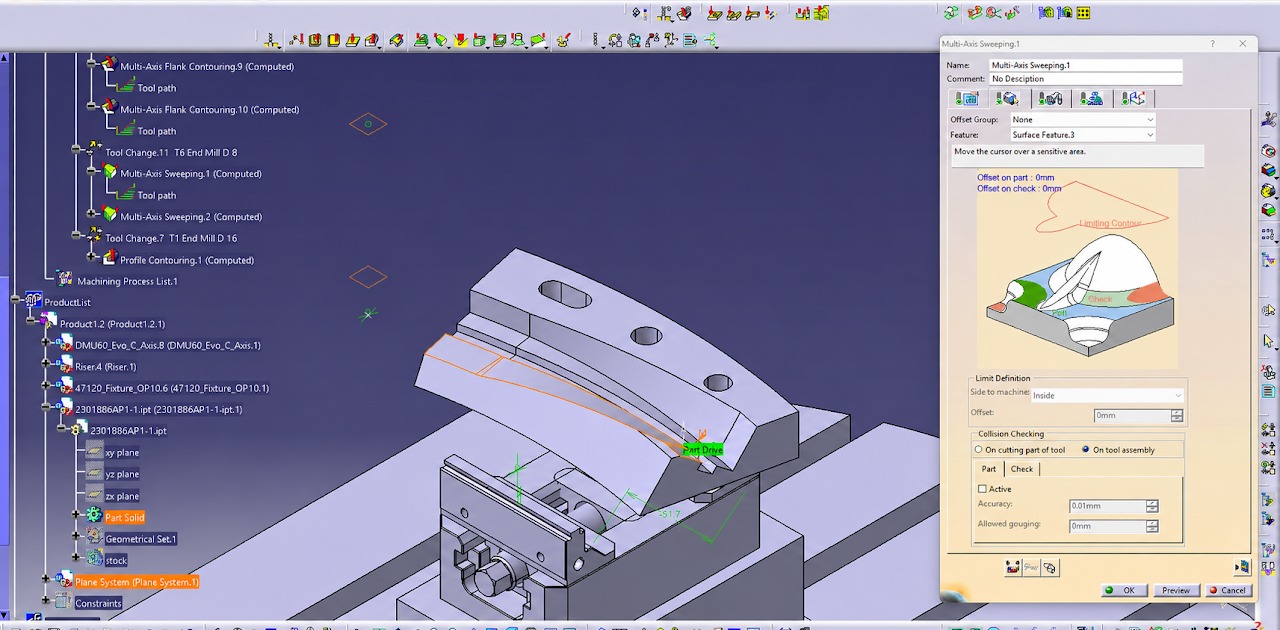
- Copy and paste the completed finishing operation.
- Set the Part Offset to 0 mm.
- Recompute the toolpath.
- Run the second machining simulation to confirm the duplicated finishing operation produces the required final surface quality without errors.
.jpeg)
.jpeg)
.jpeg)
.jpeg)
.jpeg)
.jpeg)
.jpeg)